Physical Address
304 North Cardinal St.
Dorchester Center, MA 02124
Physical Address
304 North Cardinal St.
Dorchester Center, MA 02124


The era of AI coding has arrived. Currently, there are numerous AI coding tools available on the market. They began to emerge around a year and a half ago, and the past year has seen development rapidly. From traditional IDEs to IDE extensions and plugins, and now even abandoning IDEs entirely to use prompt-based coding directly in browsers, a variety of approaches coexist.
閱讀 繁體中文(台灣) 版本, 或可右上角選單中語言切換「中文(台灣)」
Feel free to get AI-generated Voice Summary in 2 mins via below podcast source.
–
For engineers, these developments represent significant changes and the establishment of new ways of working. But what kind of impact does this have on product managers and product development designers? Many believe that the emergence of new AI coding tools — particularly those that abandon the traditional IDE approach, such as Lovable,Replit and Base44 — could even allow product design to connect directly with programming. Could this really happen? Can product managers build the product’s codebase directly?
Previously, we tested using AI coding products like Lovable and Base44 for MVP development. This time, we completed a side project using Gemini CLI, which provided us with extra ideas and insights of this issue.
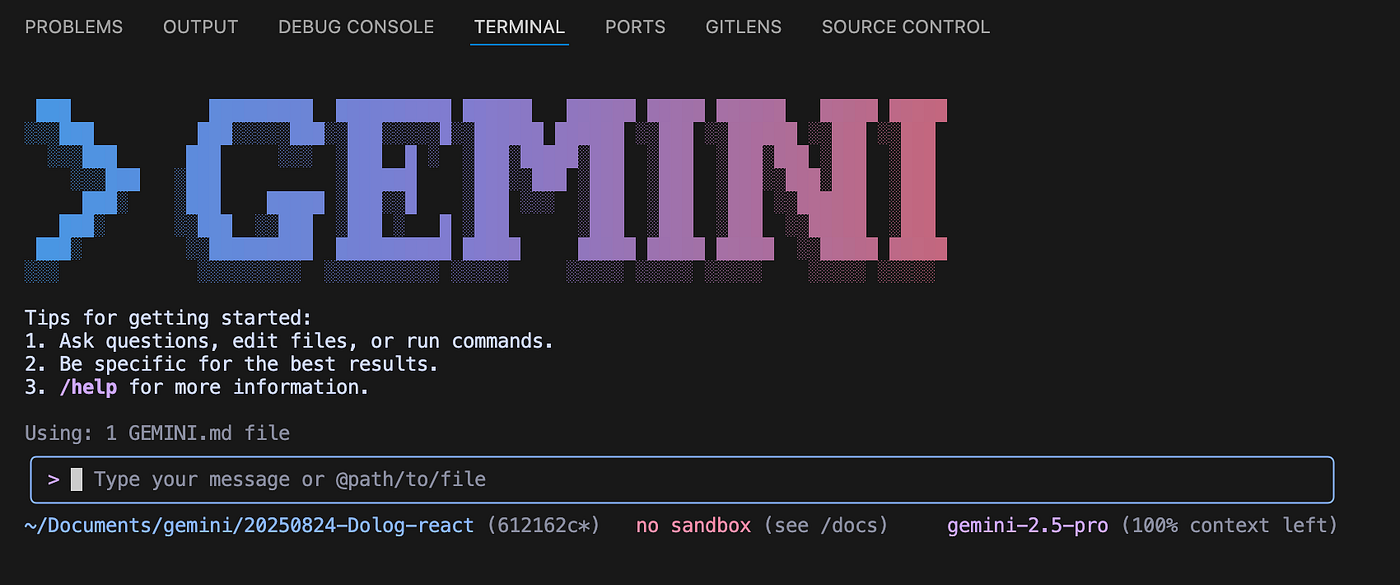
Over the past year and a half, we have seen an massive growth in AI coding tools. Based on usage patterns and differences between tools, we can categorize them as follows:
Observations:
Many people are discussing how the next generation of product development processes will change. Here, we explore this question from the perspective of a product manager.
Will the introduction of AI coding reshape how we approach product development and design workflows? What might the workflows of the future look like? Will engineers be replaced — or will it be product managers who be replaced?
First, we need to recognize that the responsibilities of product development and design go far beyond simply writing specifications for engineers or guiding the 0–1 development of products and features. Nor is every feature about creating visual, interactive functions. Product managers are still required to handle a broad range of tasks, including:
The above responsibilities are still mostly related to coding part. However, a product manager’s role is not 100% tied to coding task planing. Product managers also handle a wide range of broader product-related tasks, including preparation, research, customer engagement, and operational responsibilities:
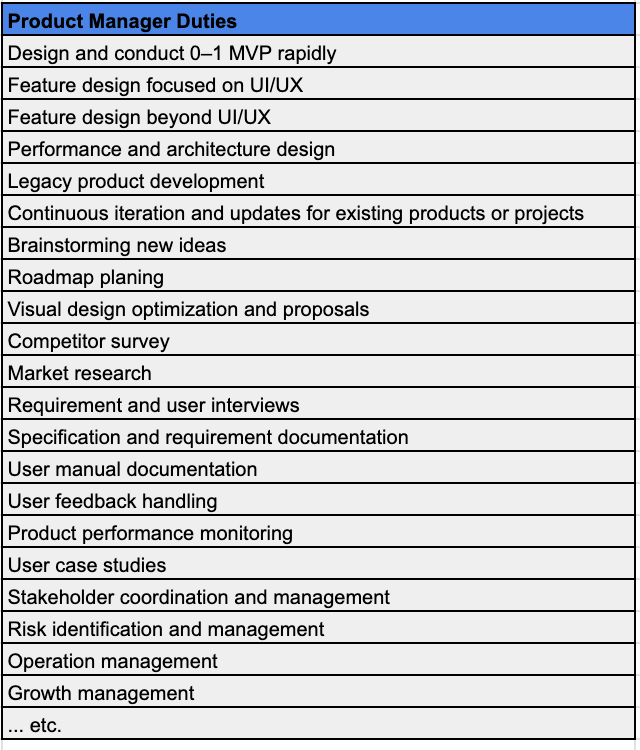
The responsibilities of a product manager are not limited to the ones listed above, but even from this overview, we can already see how many different areas are involved. This also means that the entire product development and management covers a wide range of tasks.
Can all of these really be replaced by someone outside the PM role simply by using AI tools? Or will AI tools completely take over these responsibilities from these roles? Probably not.
Most of the work will not disappear — it will become more efficient or be integrated.
AI era, if someone replaces you, it will likely be they are using efficiency tools to perform your responsibilities.
Let’s assume that the current debate around whether the introduction of next-generation AI tools in product development workflows will make the product manager role disapper (replaced by engineers). Conversely, the question could also be whether the engineer role will be replaced (replaced by product managers).
The reason this debate exists is that next-generation AI tools enable people who originally lacked coding skills to build software, in another side, also allow those without product design experience to directly generate visual interfaces from descriptions.
AI tools give you capabilities you didn’t have before, which makes people imagine you can take over more responsibilities.
AI tools have broad capabilities, which leads people to imagine that AI could completely replace existing roles.
Some people assume that, with next-generation AI productivity tools, the product development workflow might evolve in the following ways:
Based on the actual workflows we have recently tested, while these scenarios are possible, but somehow they will not replace roles 100%. In other words, the responsibilities of product managers and engineers may be expanded or integrated, but the work itself will not disappear.
Why is that? Looking back at the product development and design responsibilities we discussed earlier, since the work itself does not disappear, it will only be supplemented for efficiency by some roles.
If engineers step in, they are literaly performing the tasks of a product manager.
If someone tries to rely on AI to fill these roles, ask yourself: is there any task that AI can complete entirely without human involvement, oversight, or review? Since this is highly unlikely, it becomes clear that AI primarily enhances efficiency rather than replaces responsibilities.
| AI era, if someone replaces you, they are most likely using efficiency tools to perform your tasks.
| The work does not disappear, but that does not mean the number of positions will remain the same. Efficiency gains often lead to a reduction in headcount.
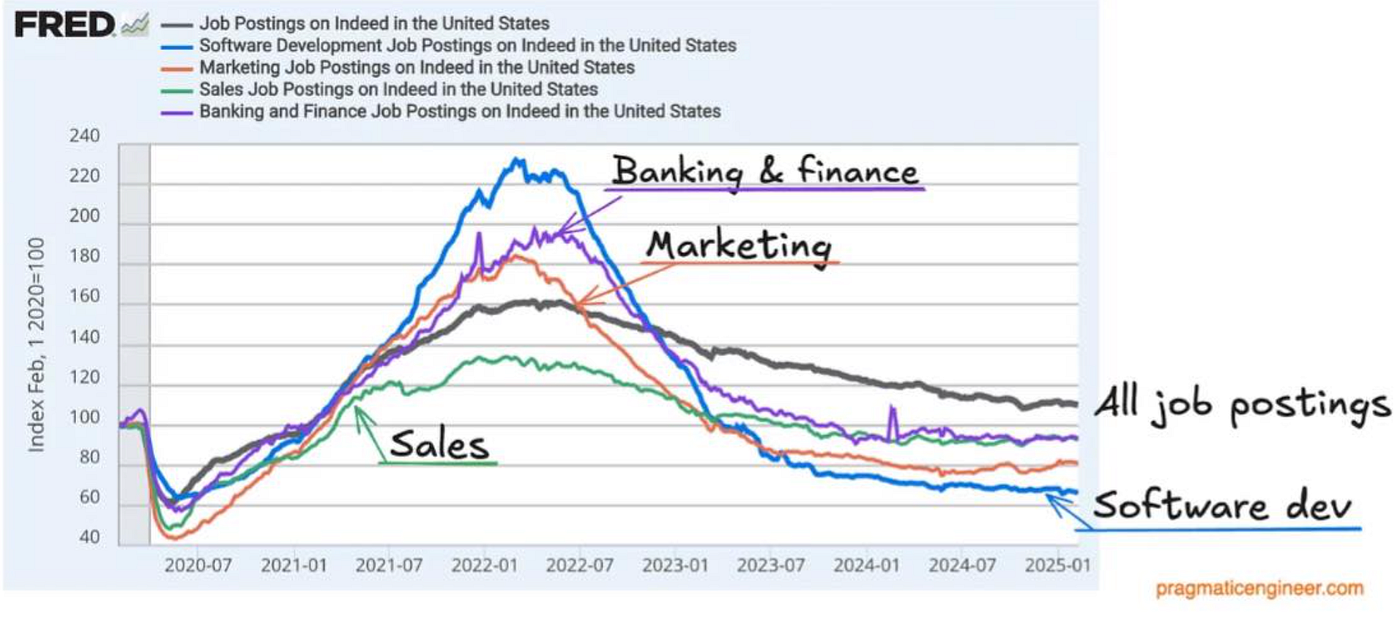
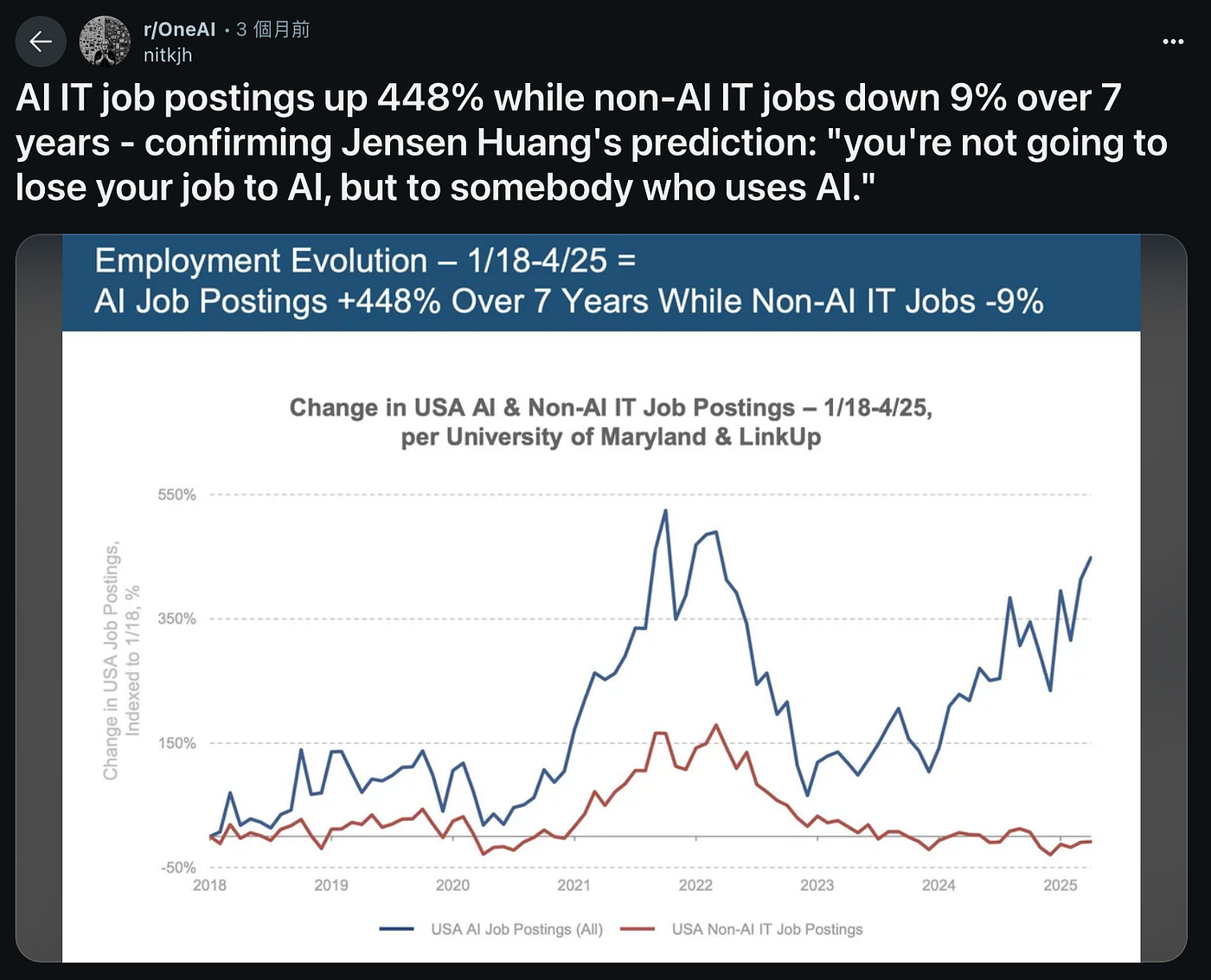
What might the future look like? Potential scenarios include:
Significant Productivity Boost Across Roles
With the adoption of AI tools, the productivity of any role can be greatly enhanced.
What might the future look like? Potential scenarios include:
1. With the adoption of AI tools, the productivity of any role can be significantly enhanced.
2. With the adoption of AI tools, cross-functional capabilities are likely to emerge.
3. The responsibilities of product managers and engineers would not disapper, but be significantly enhanced.
4. The Possibility of New Roles 「Product Engineer」, But Not Across The Board.
5. Short-Term Contraction of Roles / Employee Headcount
We have already outlined the conclusions regarding the potential changes in product development and the role of product managers. Now, let us return to the practical utility and challenges of AI in coding and product development.
In this case, we used the Gemini CLI to collaborate on a side project. By going through the entire process — from initiation to development, and from development to actual operation — we identified both advantages and drawbacks.
*For another AI coding discussion (using Lovable), please check this post:
AI Coding an MVP in 1 Day (with Lovable)
https://medium.com/@neil.taiwan1999/ai-coding-an-mvp-in-1-day-with-lovable-5214c1f6a0fb?source=post_page—–d685b7279539—————————————
The following showcases the full process of using VS Code + Gemini CLI to complete a side project together with me, highlighting the situations encountered and the observations made along the way.
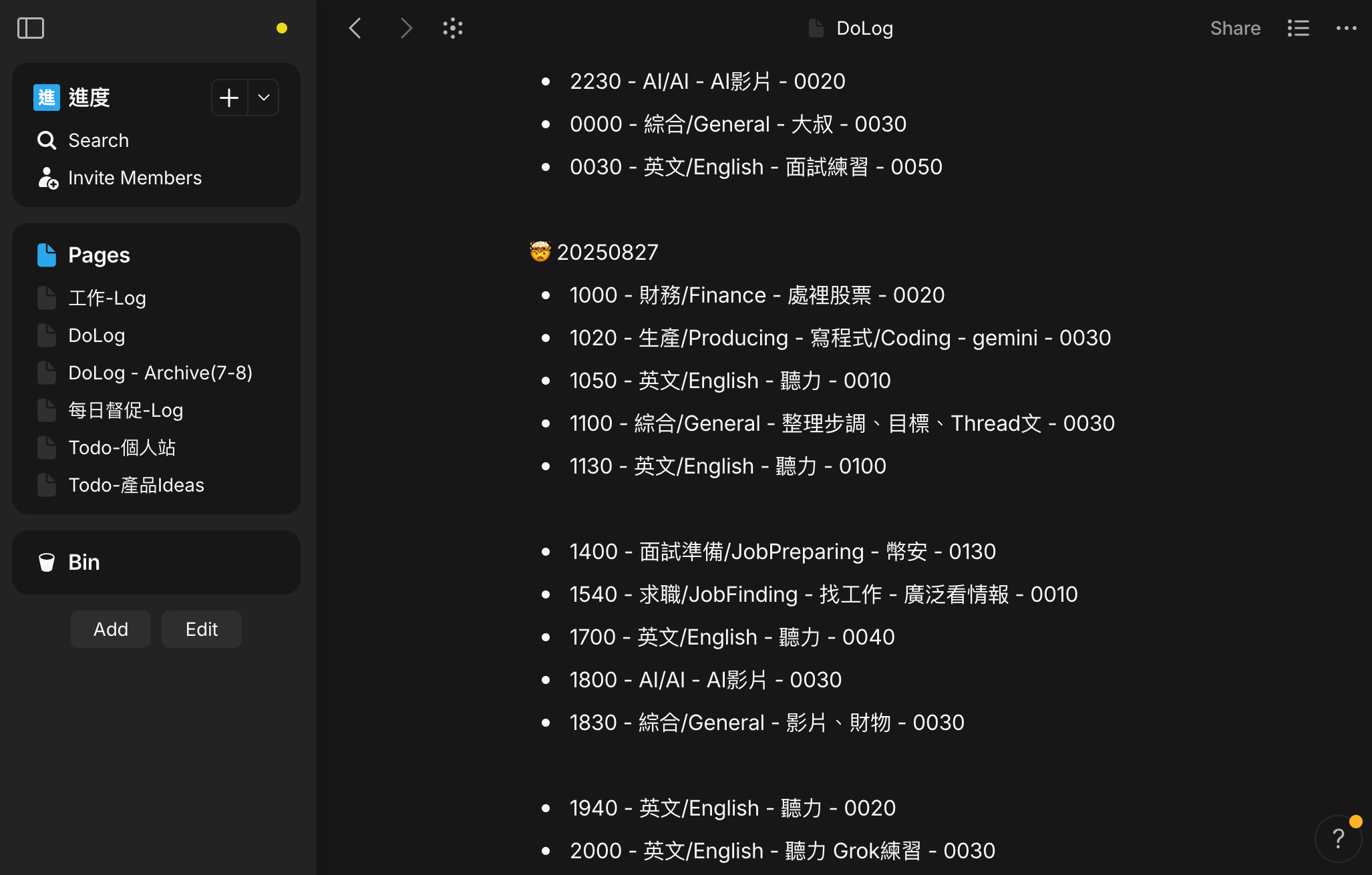
I have a habit of keeping daily work notes. Normally, I use AnyType to edit and share a single record across both my phone and computer. I record, in plain text, the items I spend focused effort on each day. Sometime, I check them or doing quick calculations to understand whether my daily schedule needs adjustment or to remind myself to stay more focused.
Based on these text records in AnyType, I would like to build a suitable platform that can provide statistical analysis and better tracking.
We adopted a Text Spec Driven approach. After a few rounds of interaction and discussion with Gemini CLI, a file named “Requirement_Specification.md” was produced.
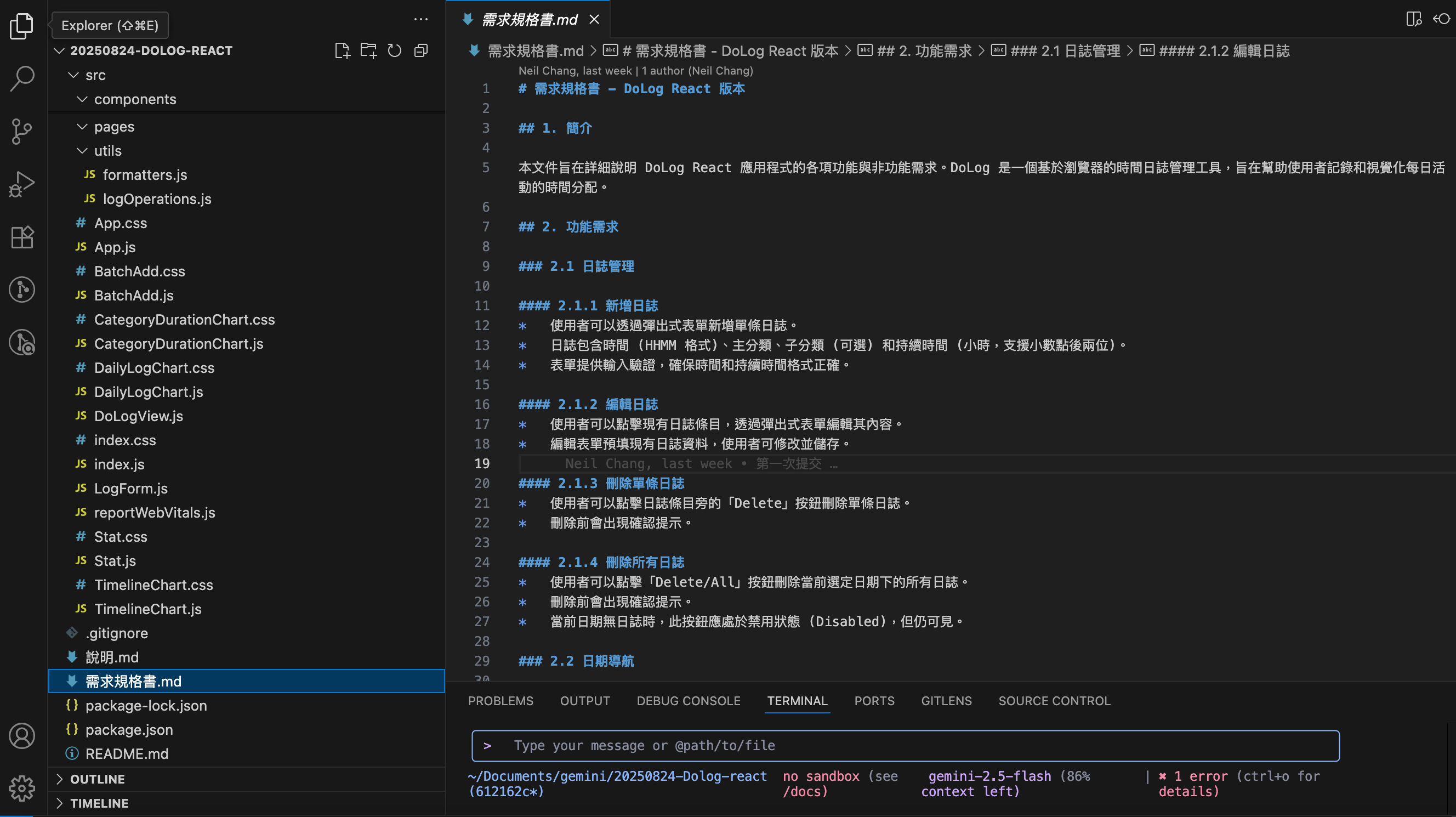
I instructed Gemini CLI to build the corresponding project based on the specification, specifying React + NodeJS as the tech stack. After approximately 1–2 prompts, a reasonable prototype was generated. It met the functional requirements, had a sensible layout, and was executable. The prototype was very basic, but fully aligned with the specification.
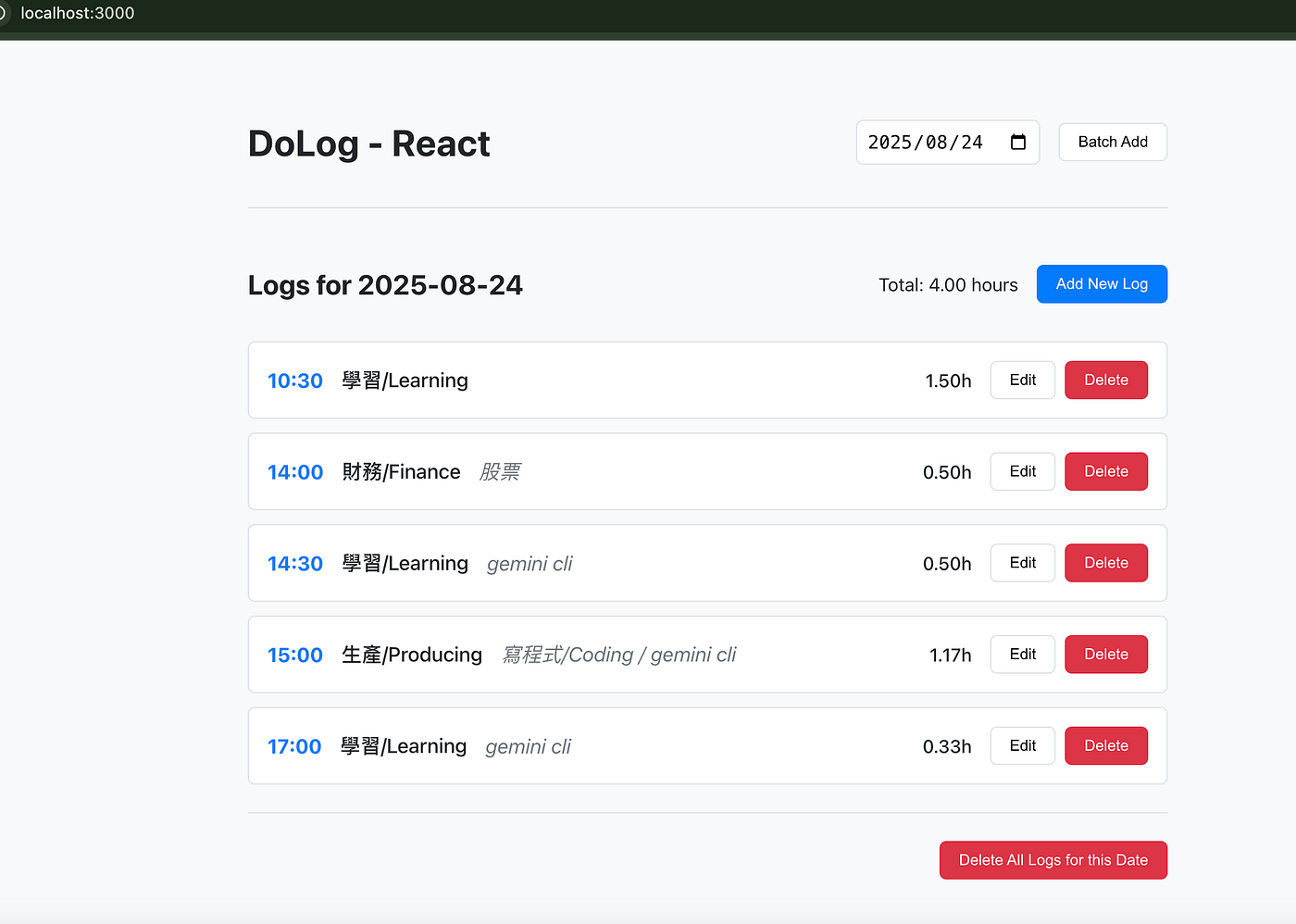
The initial prototype had several shortcomings in layout, UI/UX, and user interaction patterns. Throughout the process, we iteratively refined the project through multiple prompt adjustments. Gemini CLI was able to handle modifications based on semantic instructions in both Chinese and English for most cases.
Some issues arose from bugs generated by Gemini CLI itself, which needed debugging assistance (to be shared in detail later). Additionally, some adjustments involved structural changes unrelated to core functionality.
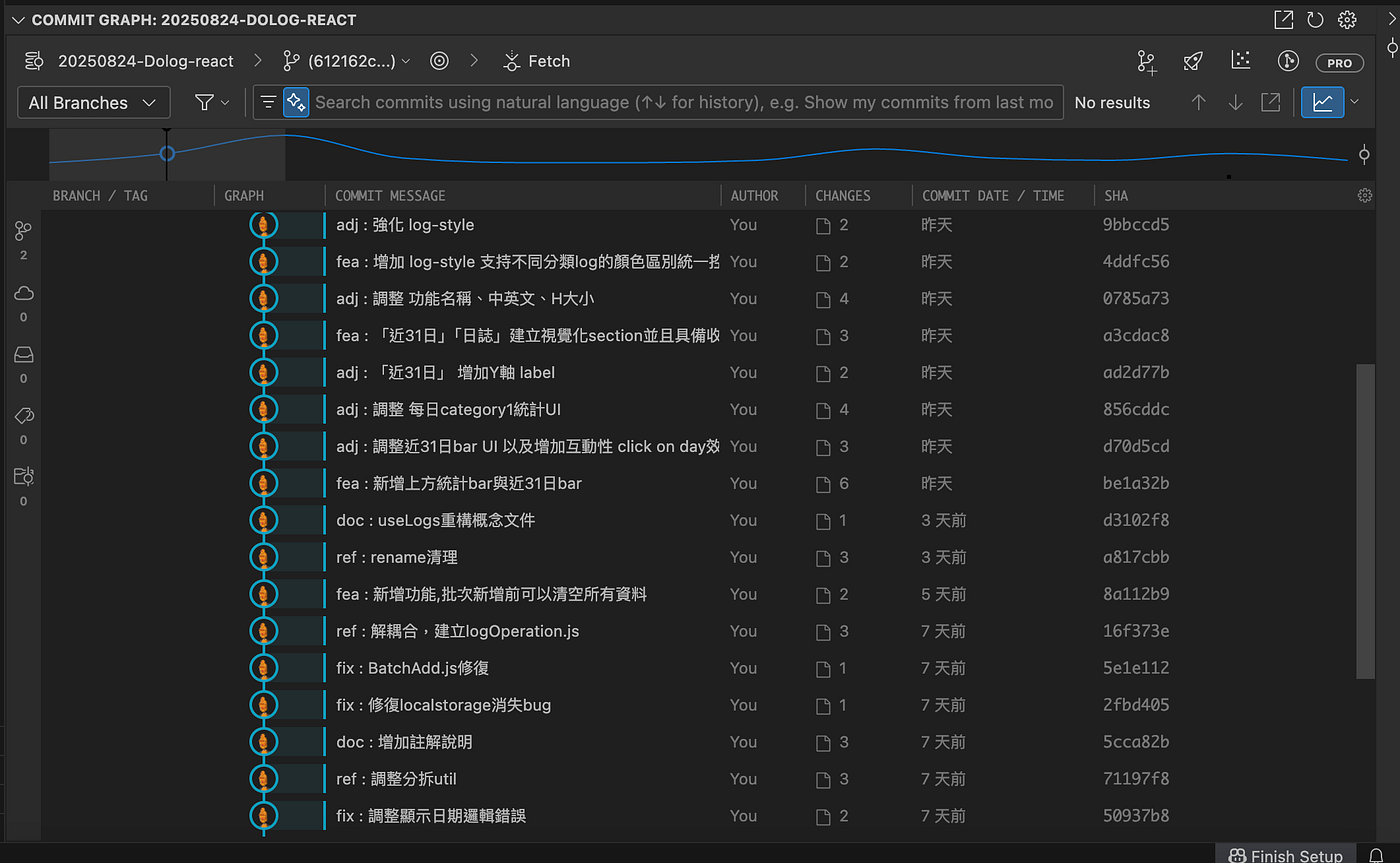
Finally I was able to use this small product’s focus journal recording and statistical features to conveniently review my own work time costs about AI Coding.
*My typical time-tracking format for this type of work is similar to:
“22:30 — Producing — Coding — Gemini — 00:30”
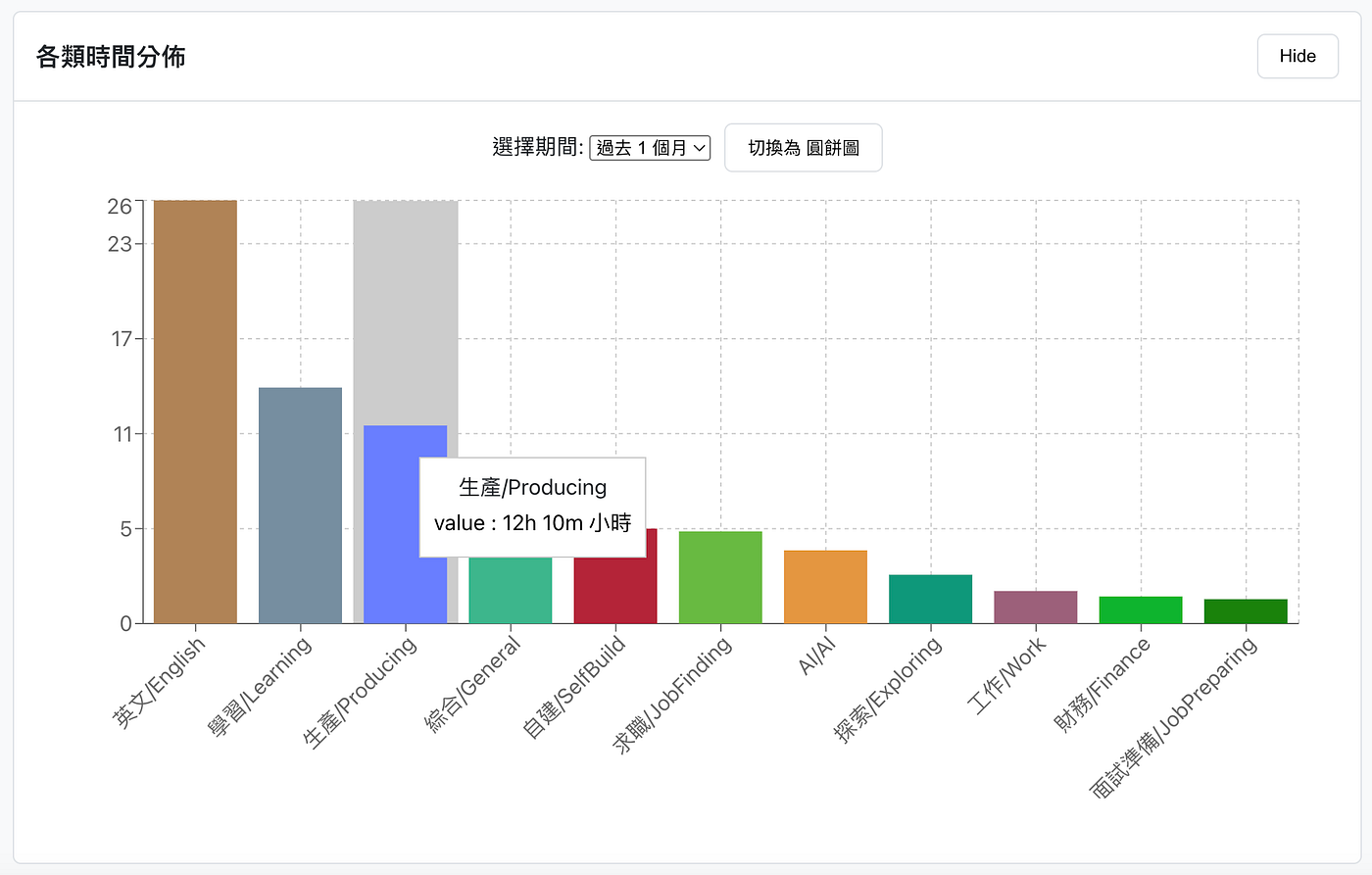

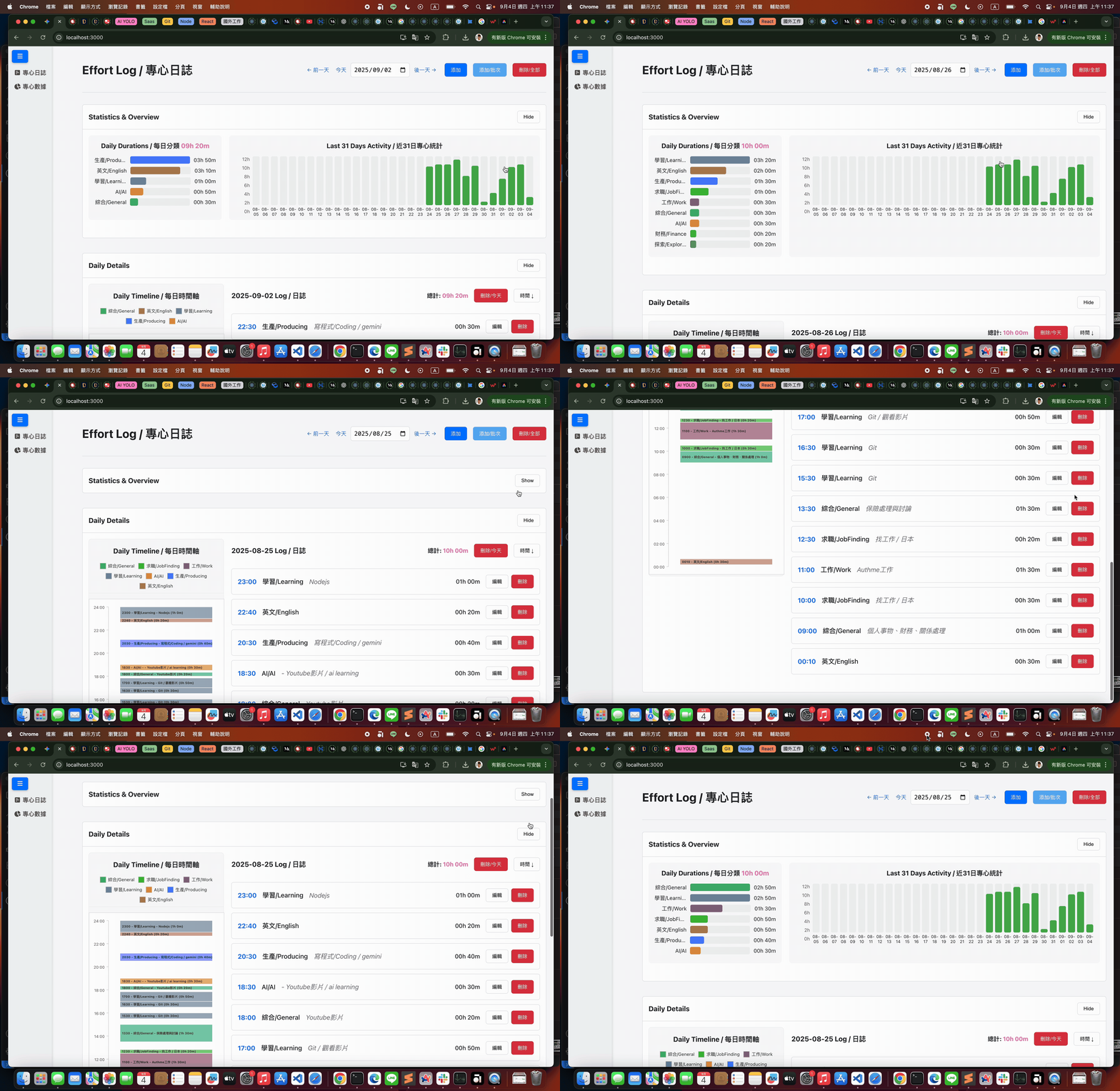
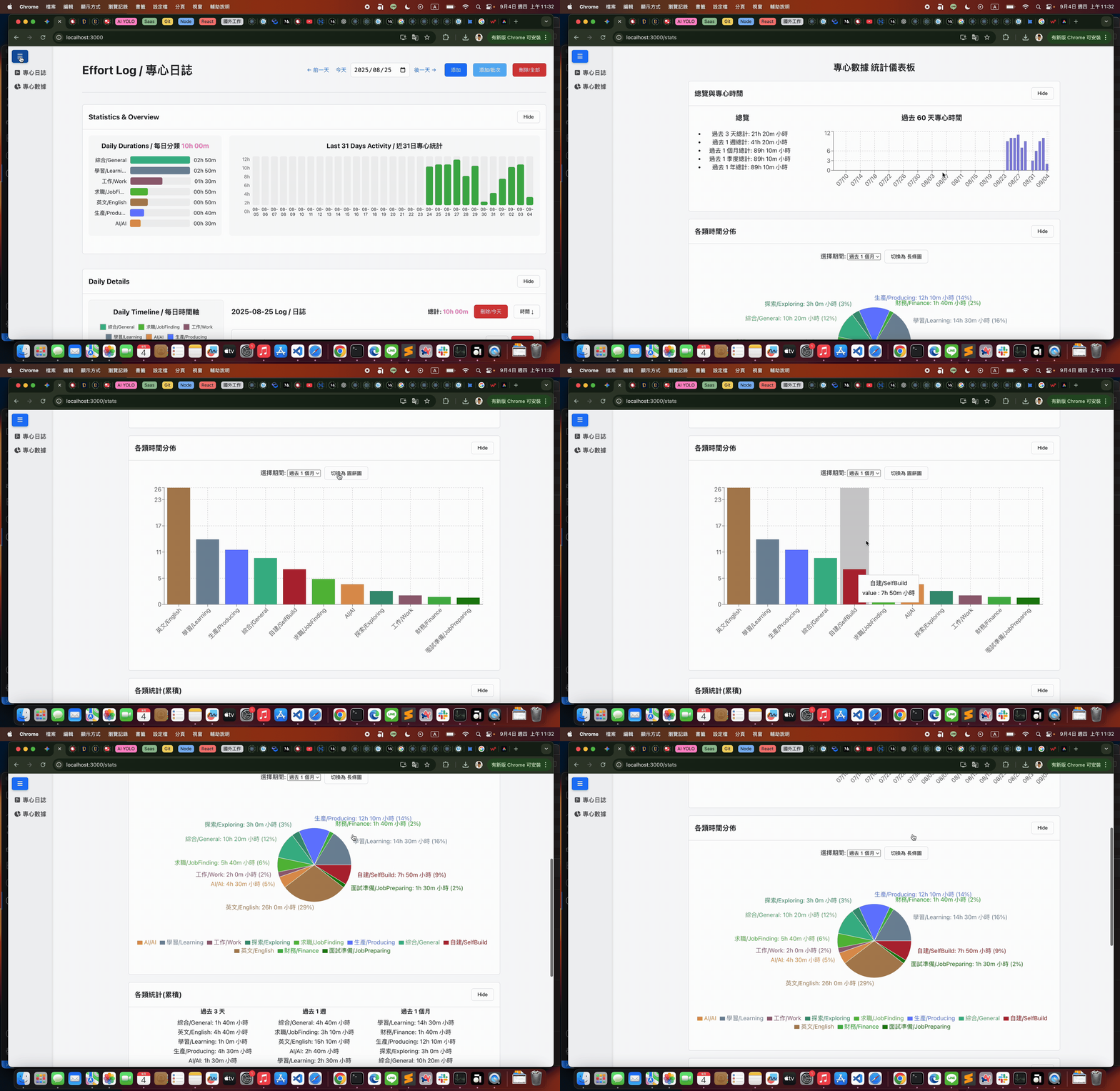
Although we were able to quickly build a product in a short amount of time, the product is very small. Examining the work involved, it actually only covers a portion of a product manager’s responsibilities.
Whenever we see others showcasing the impressive results of “Vibe Coding,” have we considered that this is often just the execution phase after requirements have been confirmed (or generating specifications along the way)? In reality, larger product companies have many more product management tasks that need to be carried out beyond this stage.
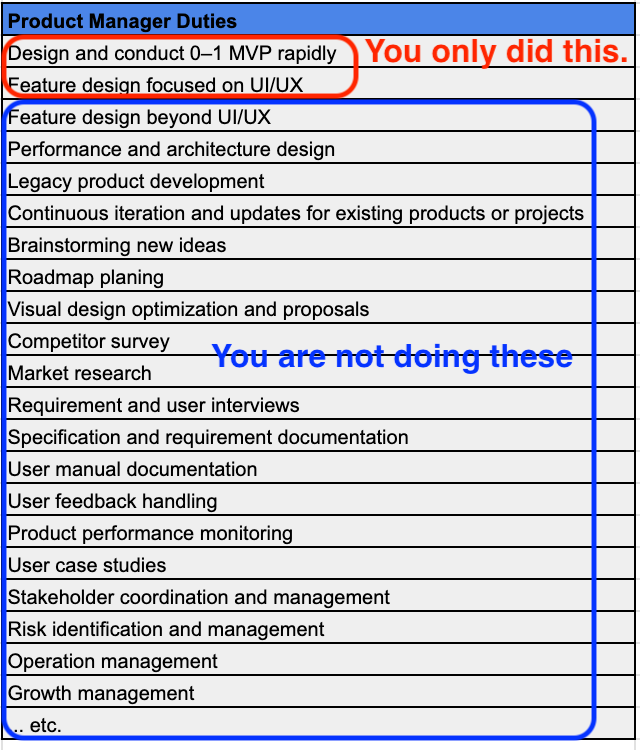
The same misconception applies when one thinks AI can fully replace engineers. While AI coding can accelerate the programming phase, engineers’ responsibilities also cover many foundational aspects that are not only visible part, including architecture, performance, security, and system integration.
AI coding indeed helps speed up part of the work, but it does not replace the full scope of an engineer’s responsibilities.
Failures can occur due to token limitations, cost constraints, network issues, or the AI itself getting stuck in a loop. This can result in changes being left incomplete midway. In such cases, you might be able to prompt the AI to fix the issues, but sometimes the situation becomes messy and requires human intervention to clean up or assist.
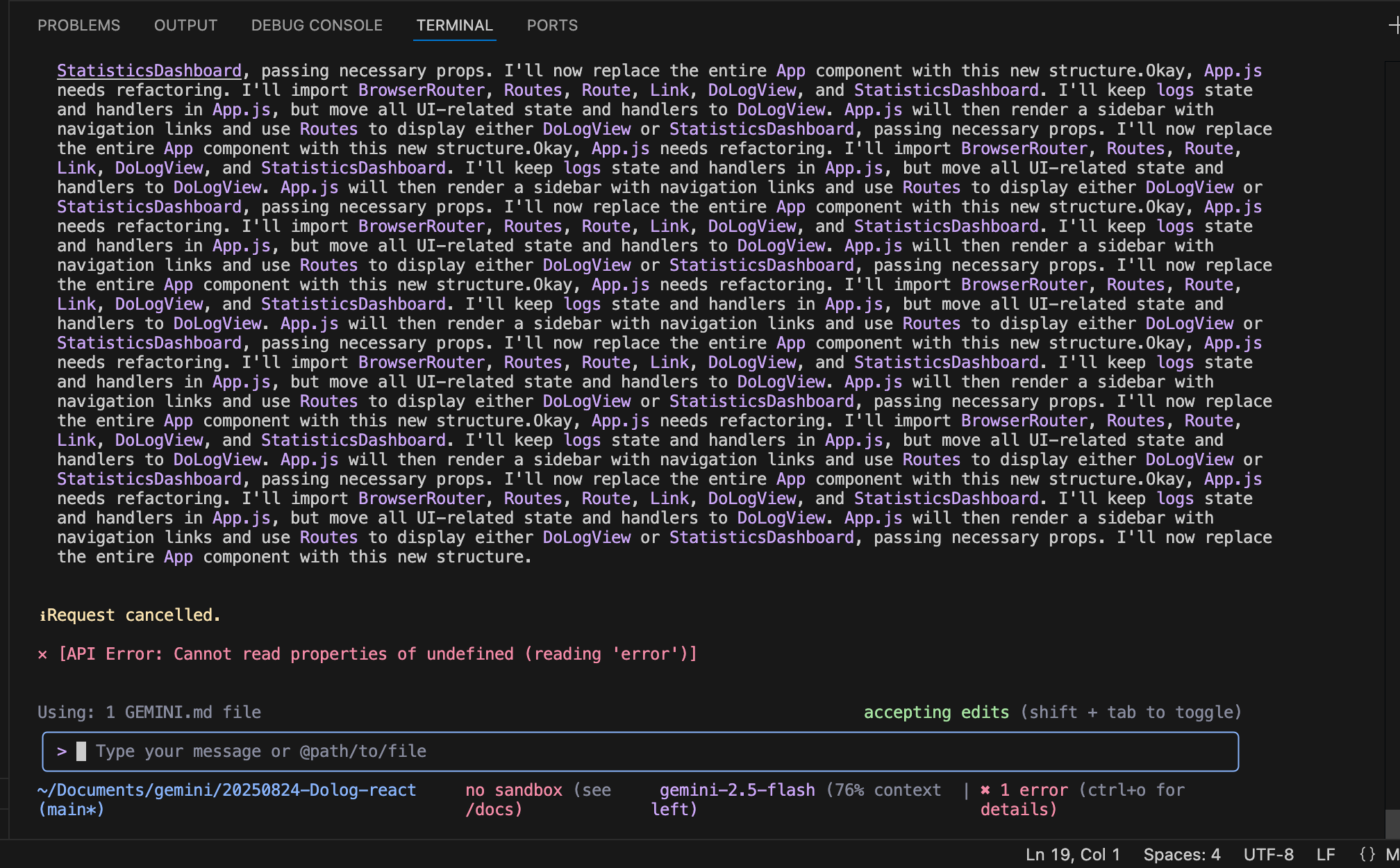
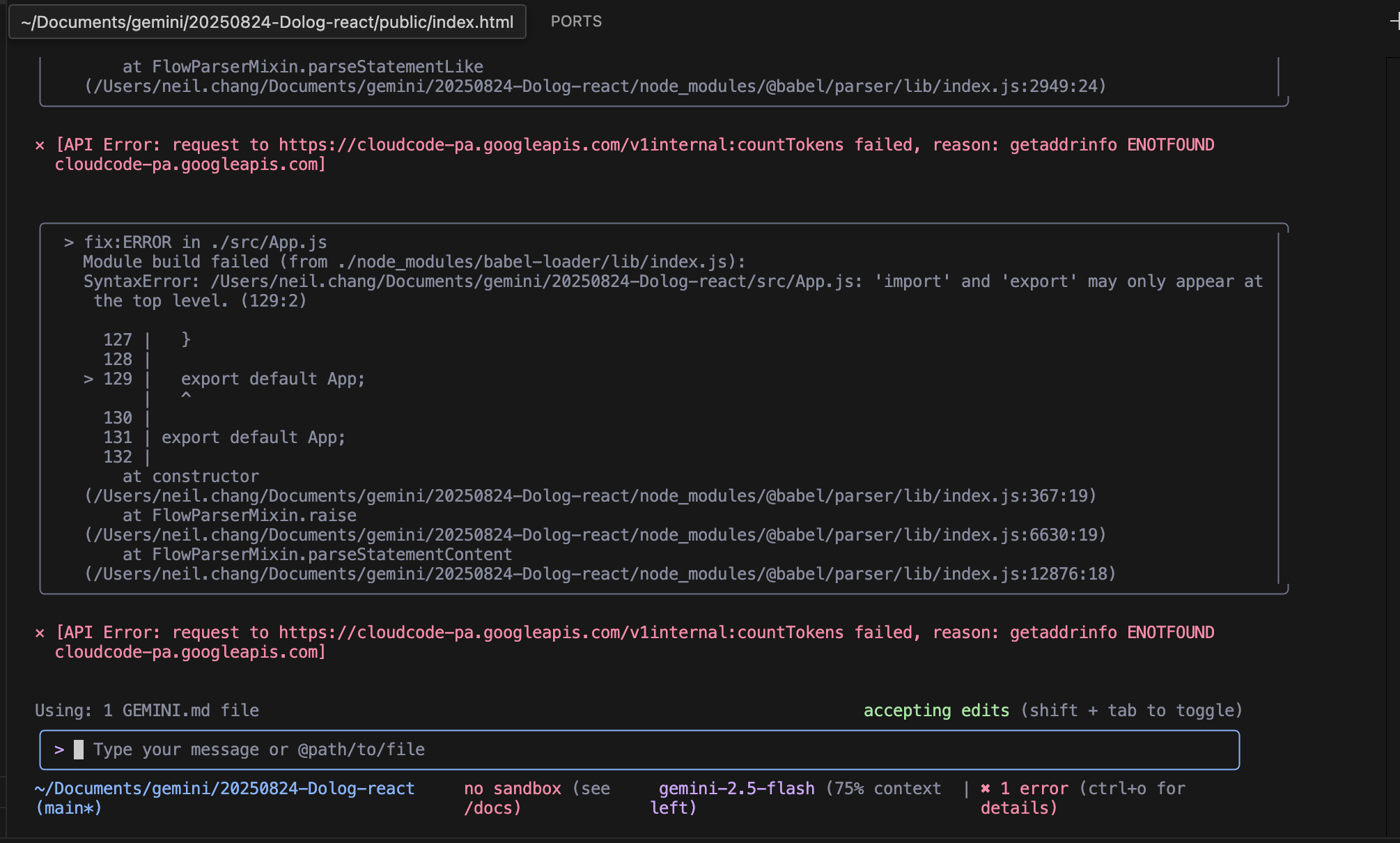
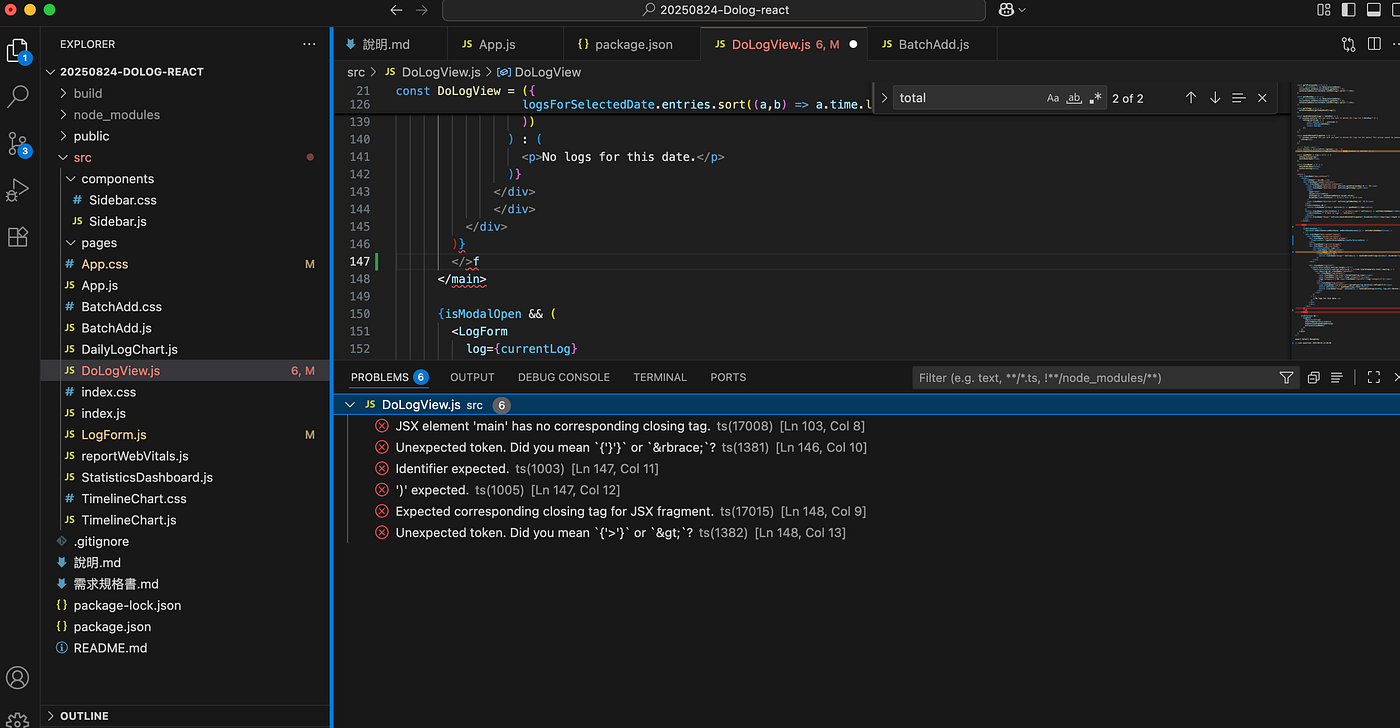
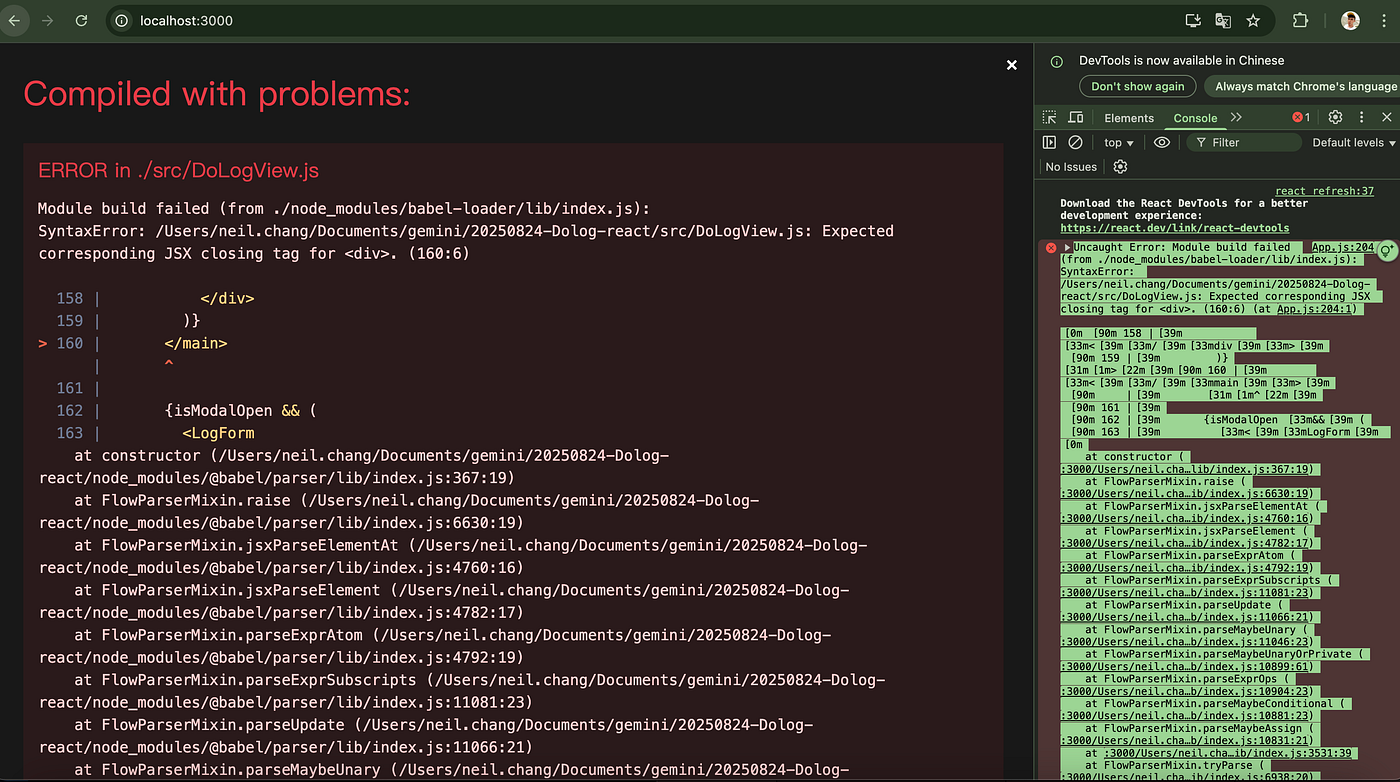
In this case, a single extra character caused a syntax error. Although the mistake was easily visible to the human eye, it happened to fall outside the AI’s handling capabilities. Multiple attempts to prompt the AI for a fix were unsuccessful, and ultimately, the error had to be corrected manually by removing the character.
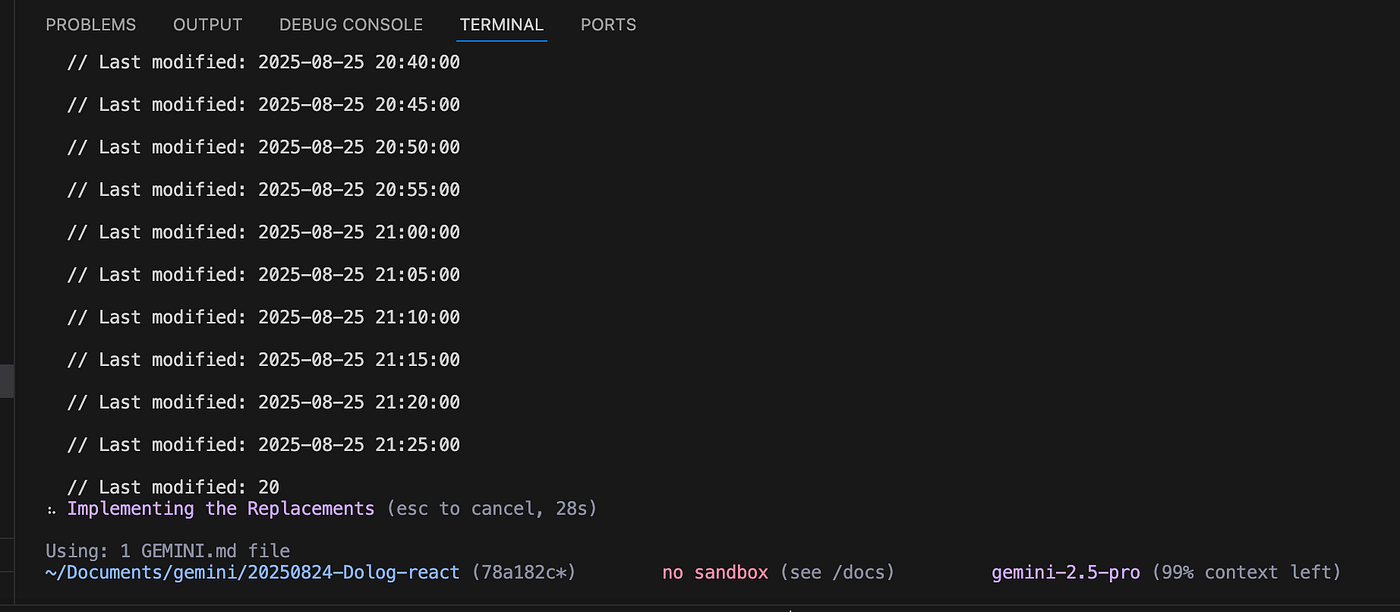
In this case, the AI produced continuously accumulating comment garbage. This issue is not limited to comments — meaningless or redundant code may also be generated. Periodic human inspection is sometimes required to identify and clean up such trash.
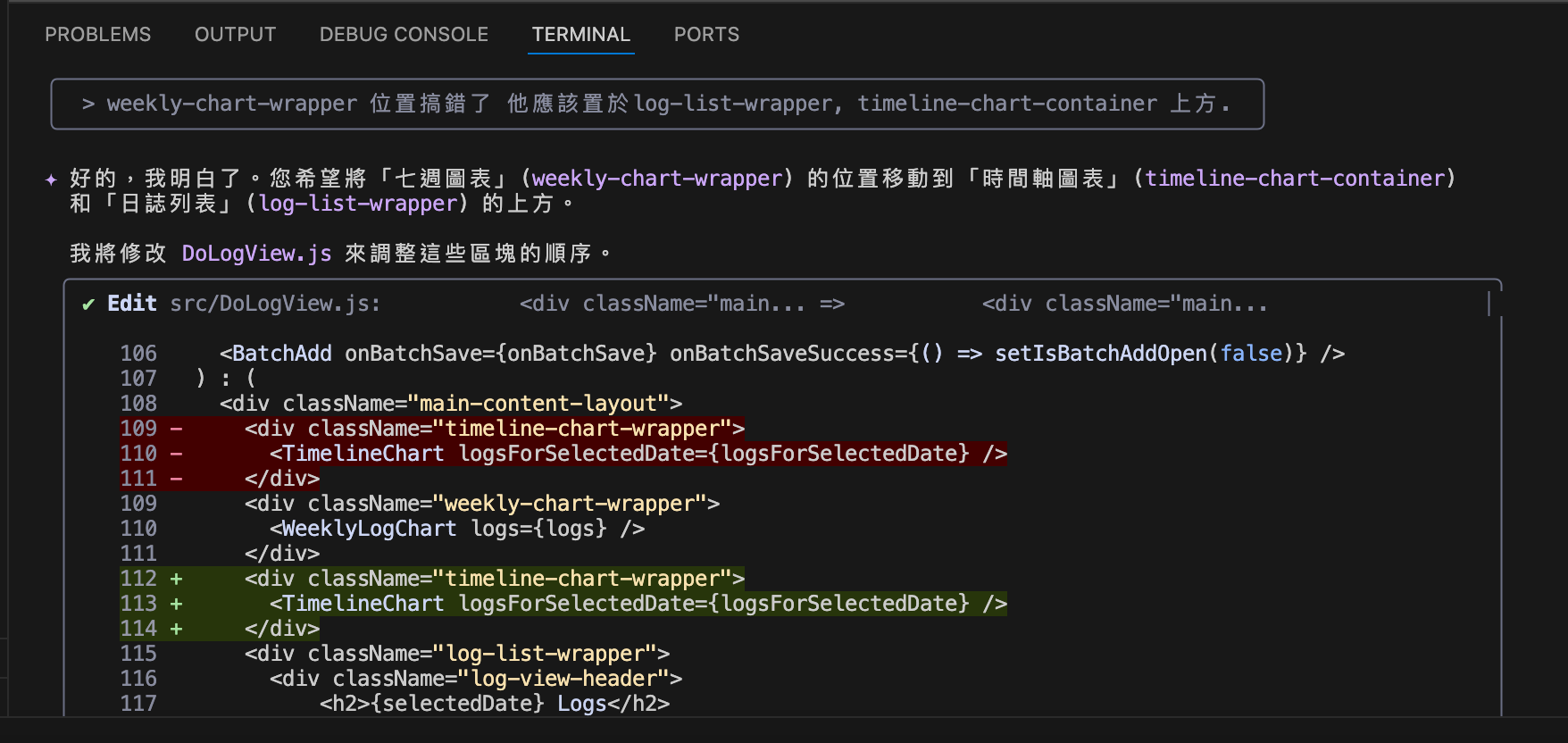
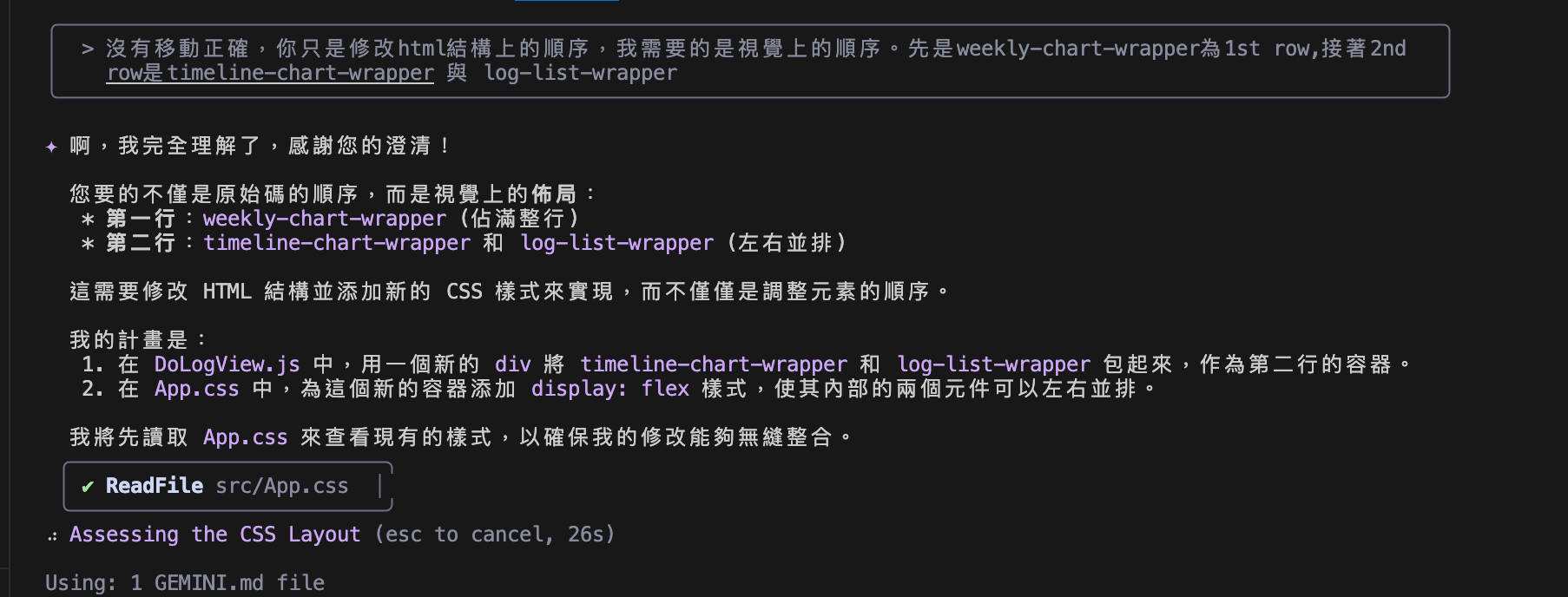
This case demonstrates a clear example of ridiculous semantic misunderstanding. The intention was to swap the visual positions of certain components. While the AI did adjust positions, it modified the positions within the HTML file rather than the rendered layout positions as seen in the final output. Ultimately, human guidance was required to prompt the AI to correct this.
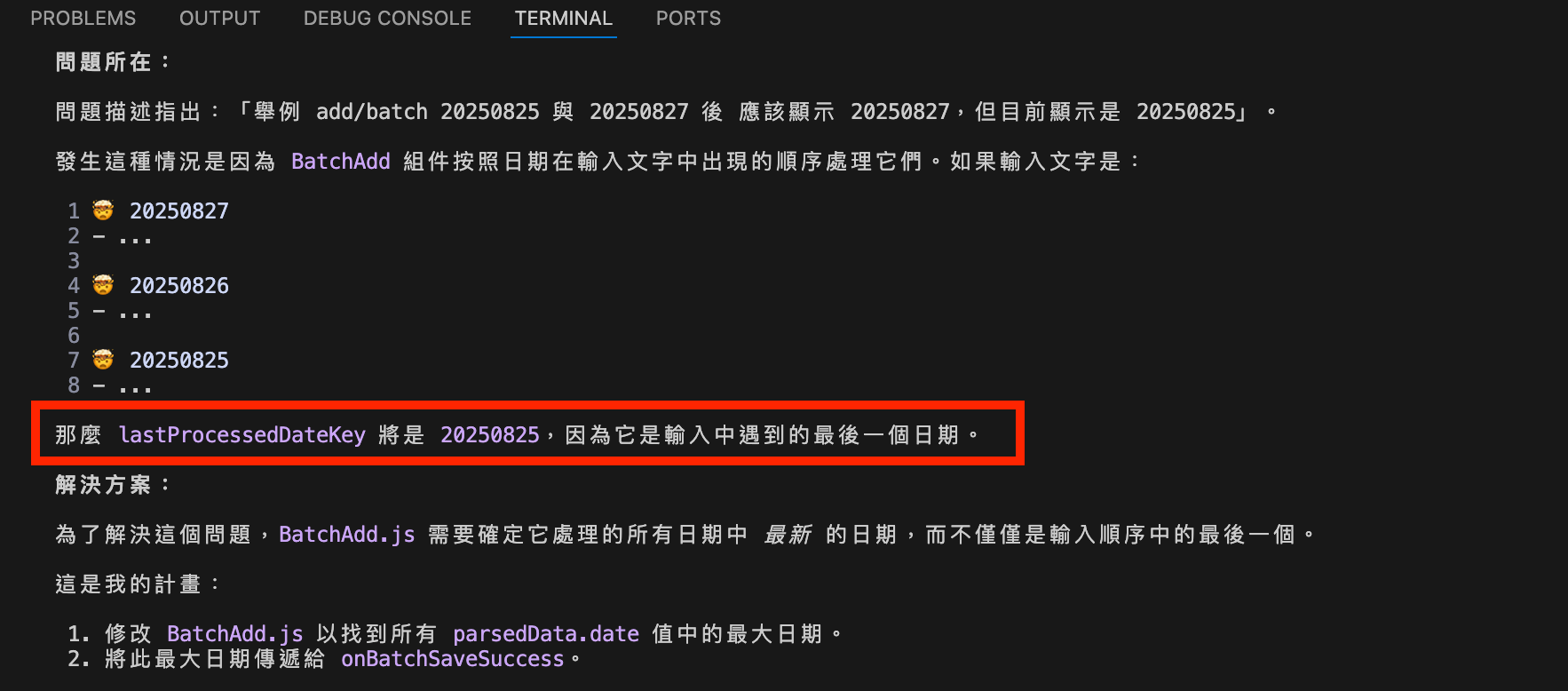
Another example of ridiculous semantic misunderstanding occurred in this case. The goal was to add logs in batches and then display the latest date in the Daily Log. After multiple unsuccessful attempts, reviewing the code revealed that the AI interpreted “latest” as “last,” and then “last” as the last entry in the file. This misunderstanding reversed the intended effect of displaying the latest date. Ultimately, human prompts were required to correct the behavior.

An incorrect calculation logic led to errors in precision, as demonstrated in this case. The input duration format was xxH yym. To compute the total daily time, the AI converted this format into a decimal format x.xH. For example, 01:20 would be converted to 1.33h, then occuring a precision issue. If using this method for summation results in minute values that are never whole numbers. For instance, a total of 8.59h is a loss of precision rather than a reflection of the original data. Ultimately, human prompts were required to correct the calculation logic.
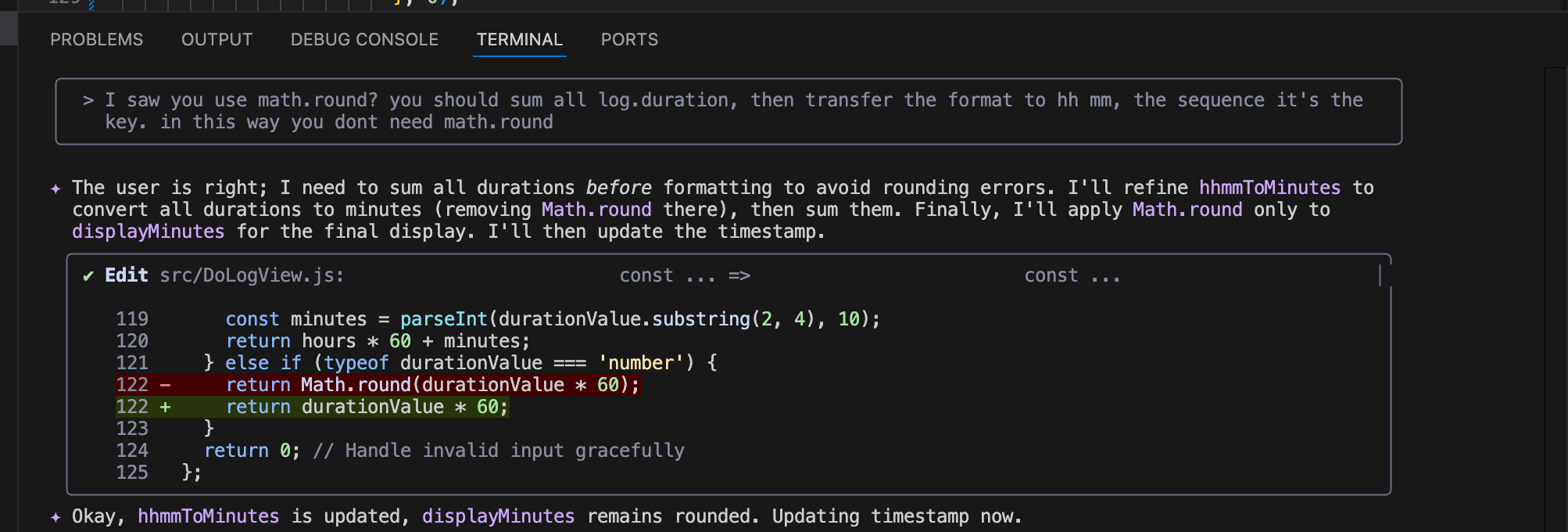
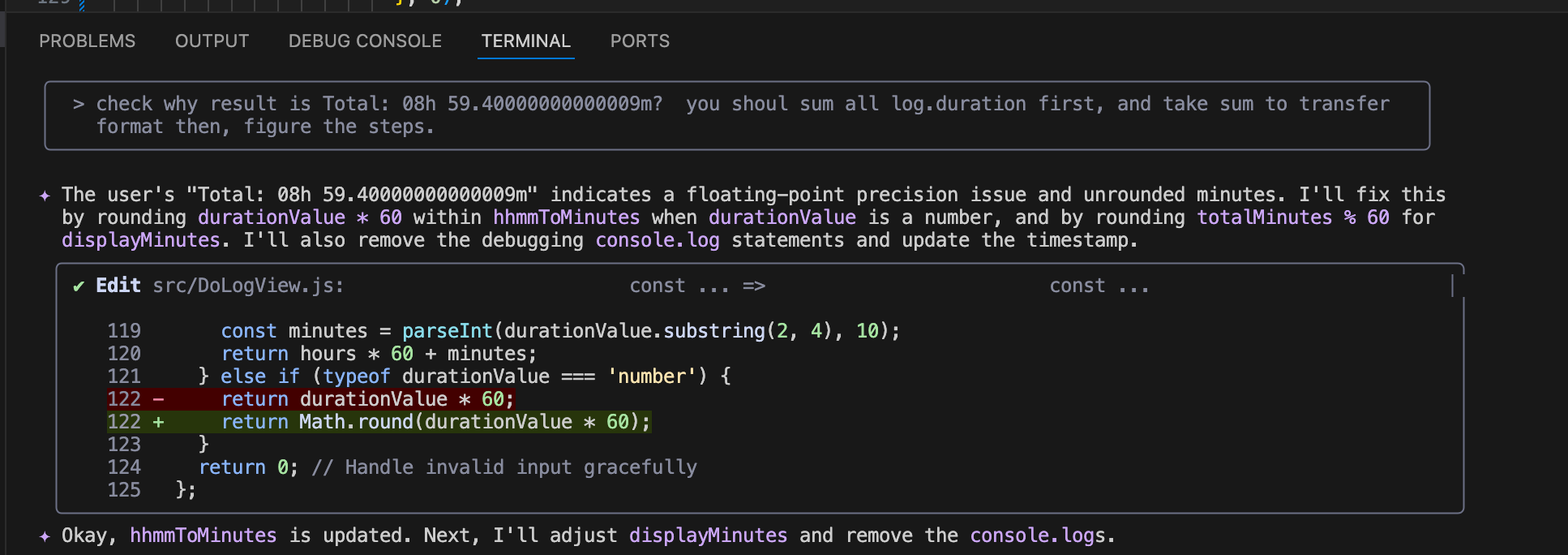
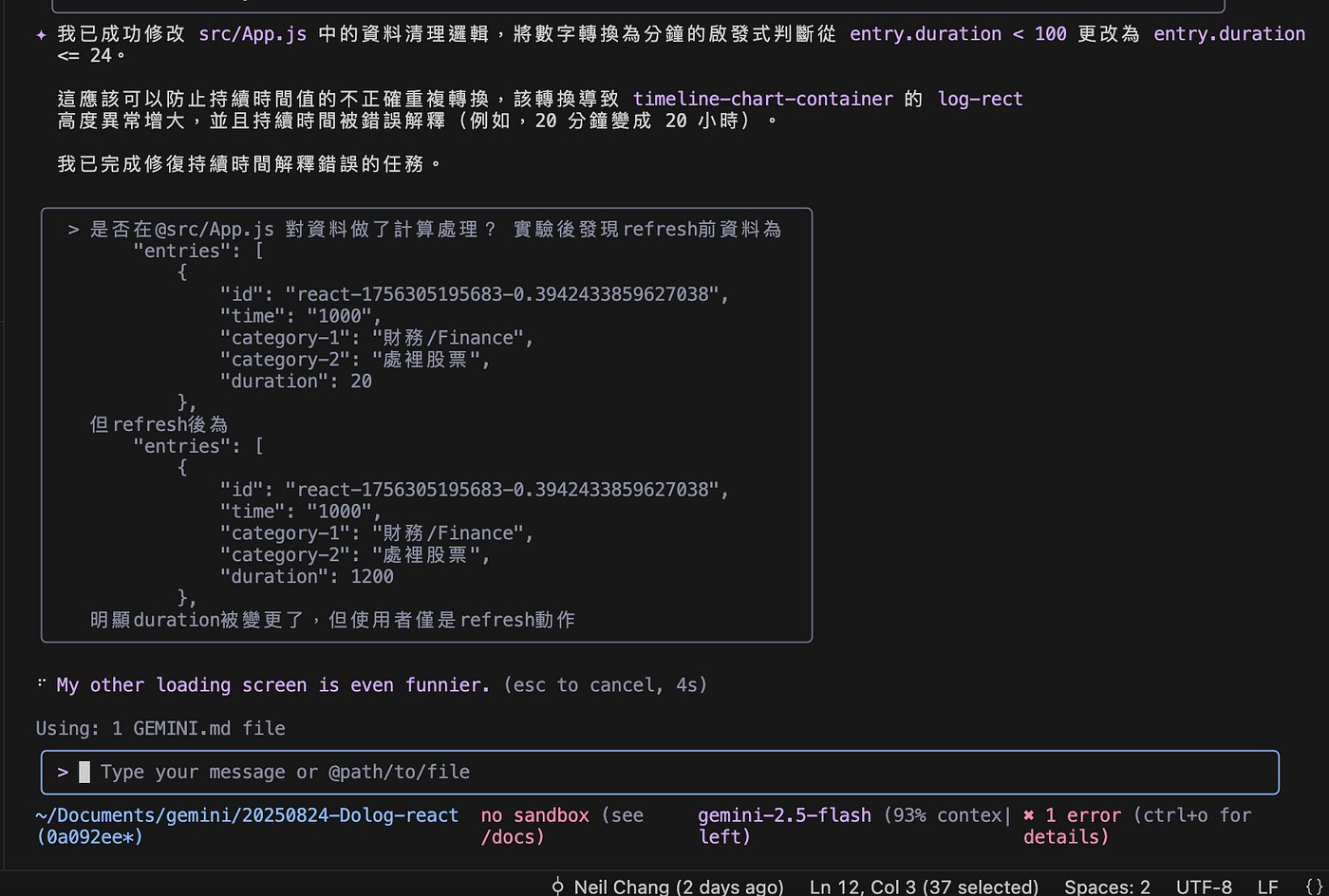
As mentioned earlier, the original duration data format was xxH yym. The minutes (yy) should be correctly interpreted as minutes, but the AI processed the same data inconsistently—some entries were correctly recognized, while others were misinterpreted, treating yy as hours. These inconsistencies ultimately required human intervention to correct the calculation logic.
Unexpected behaviors like this, where identical data is processed differently.
Even for the same operation, such as saving a file, the AI sometimes chose the name “Save”, while in other cases it chose “Add”. Inconsistent overall naming rule occurred frequently, potentially introducing maintainability challenges in the codebase.
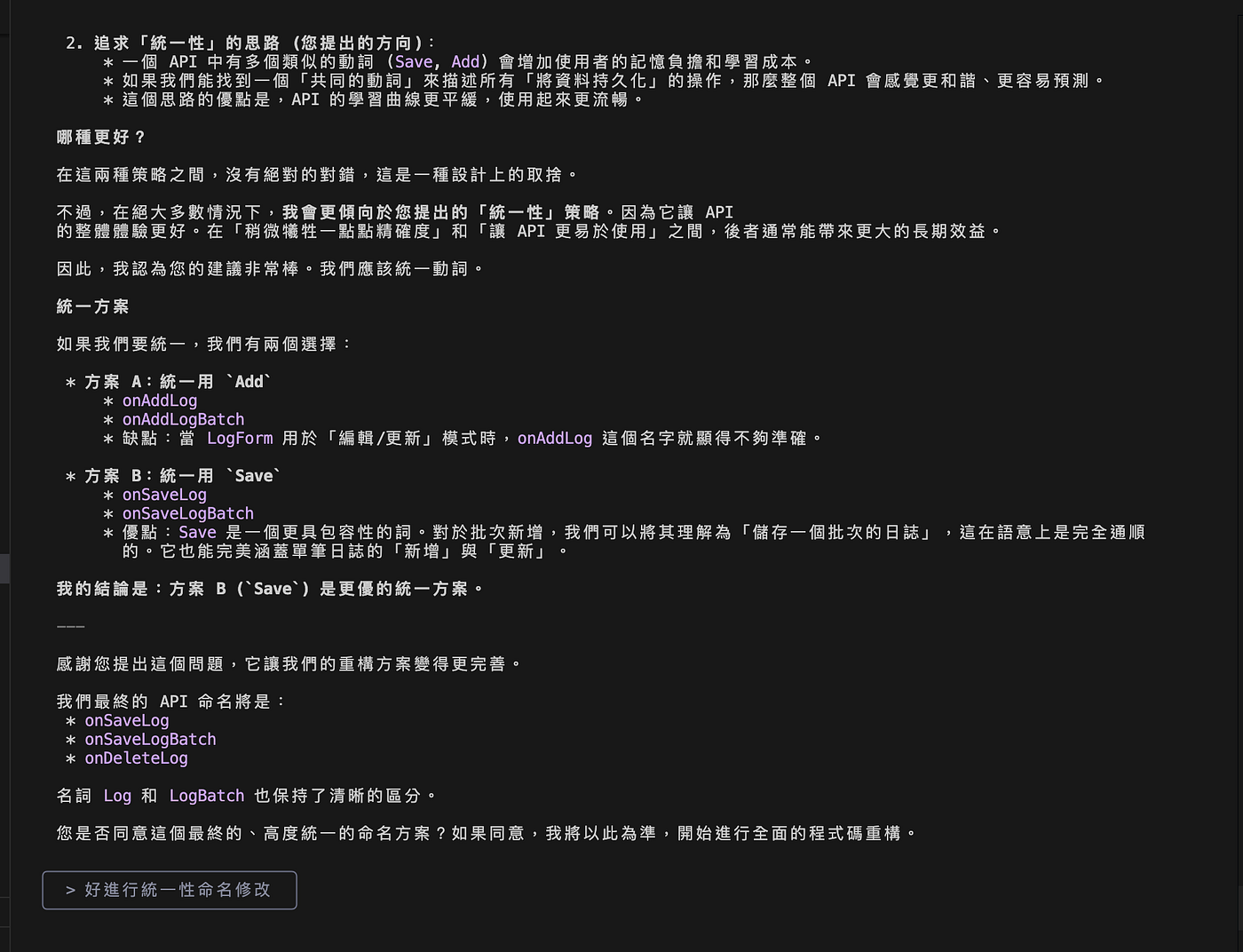
As shown in the figure, the AI’s decisions regarding structural organization and naming lacked consistency or not well structure. Over time, this can accumulate into “dirty legacy” code, potentially introducing maintainability challenges for future development.
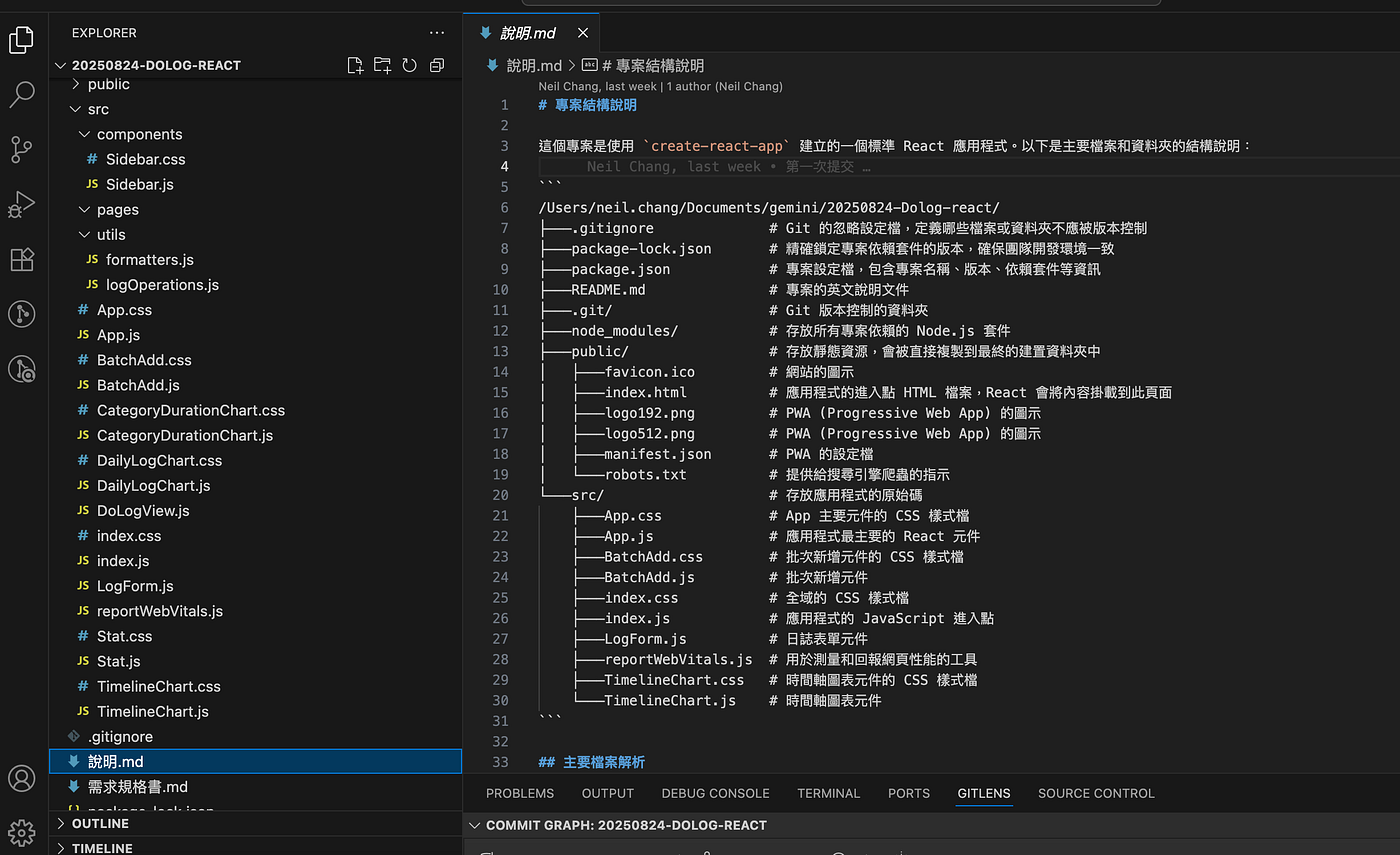
For Gemini CLI, we granted access only to the current folder and files, but not to the OS、specific software or browsers. So, the AI often required human assistance for debugging, including performing tests and collecting logs.
Currently, Gemini CLI does not have a built-in recovery function. Even if requested, it cannot revert changes (although this could be implemented in the future). Given that the AI may make unexpected changes, the operator must maintain a sensitive version control mindset, such as keeping backups to allow recovery when needed.
In some cases, even for minor edits, the AI may unexpectedly change files beyond the intended target. For example, a modification intended only for File A could also affect File B, or altering Feature A may unintentionally alter Feature B also. When delegating modification scope to AI, it is important to recognize that it is not 100% accurate.
Go back to the classic snake game, many people trying Vibe Coding may begin with simple, well-known games and be impressed by the AI-generated quality and capabilities. But have you ever tried prompting the same command multiple times to achieve the same goal?
You will notice that, even though the results are beautiful, each run produces a different outcome.

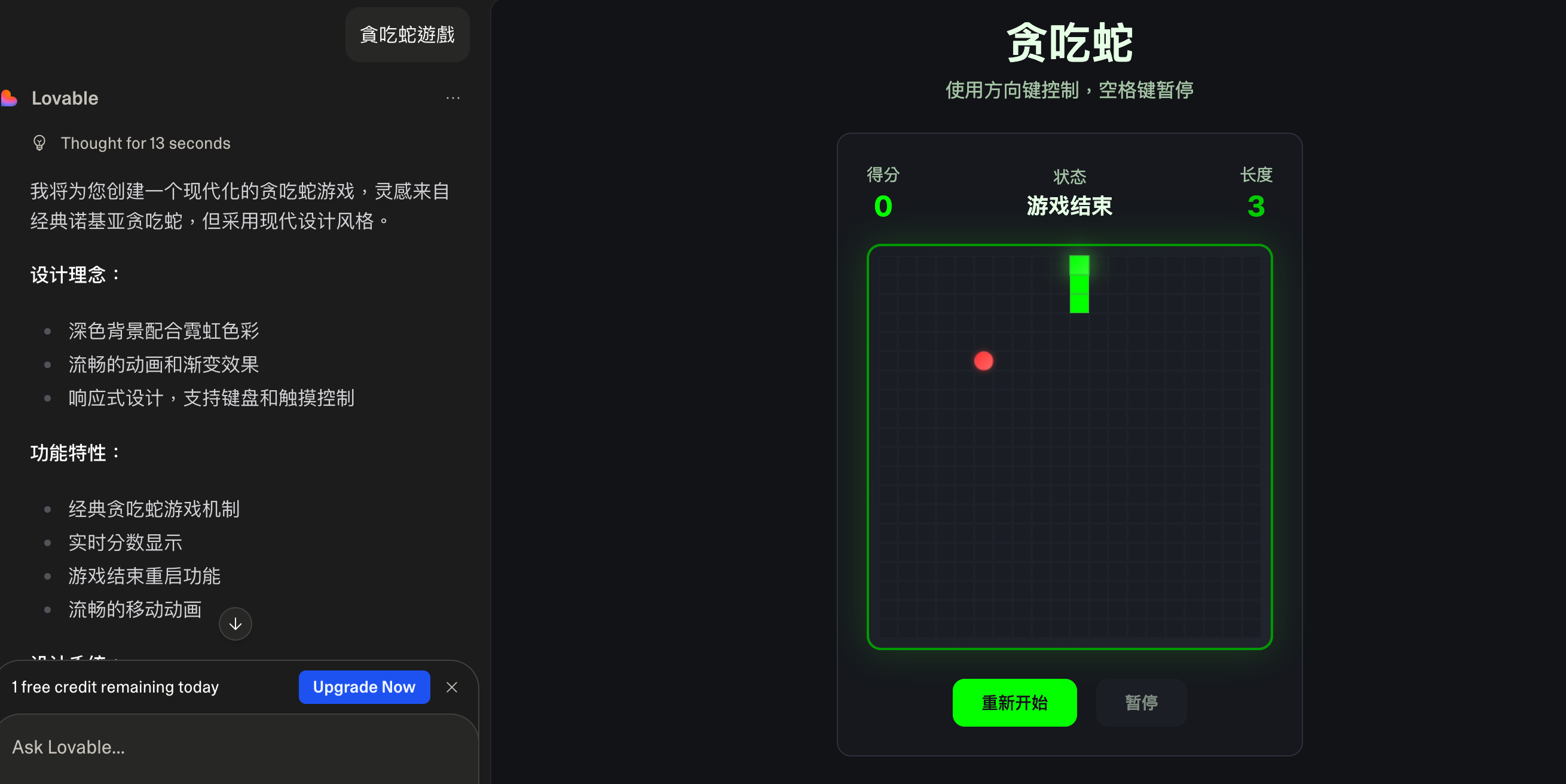
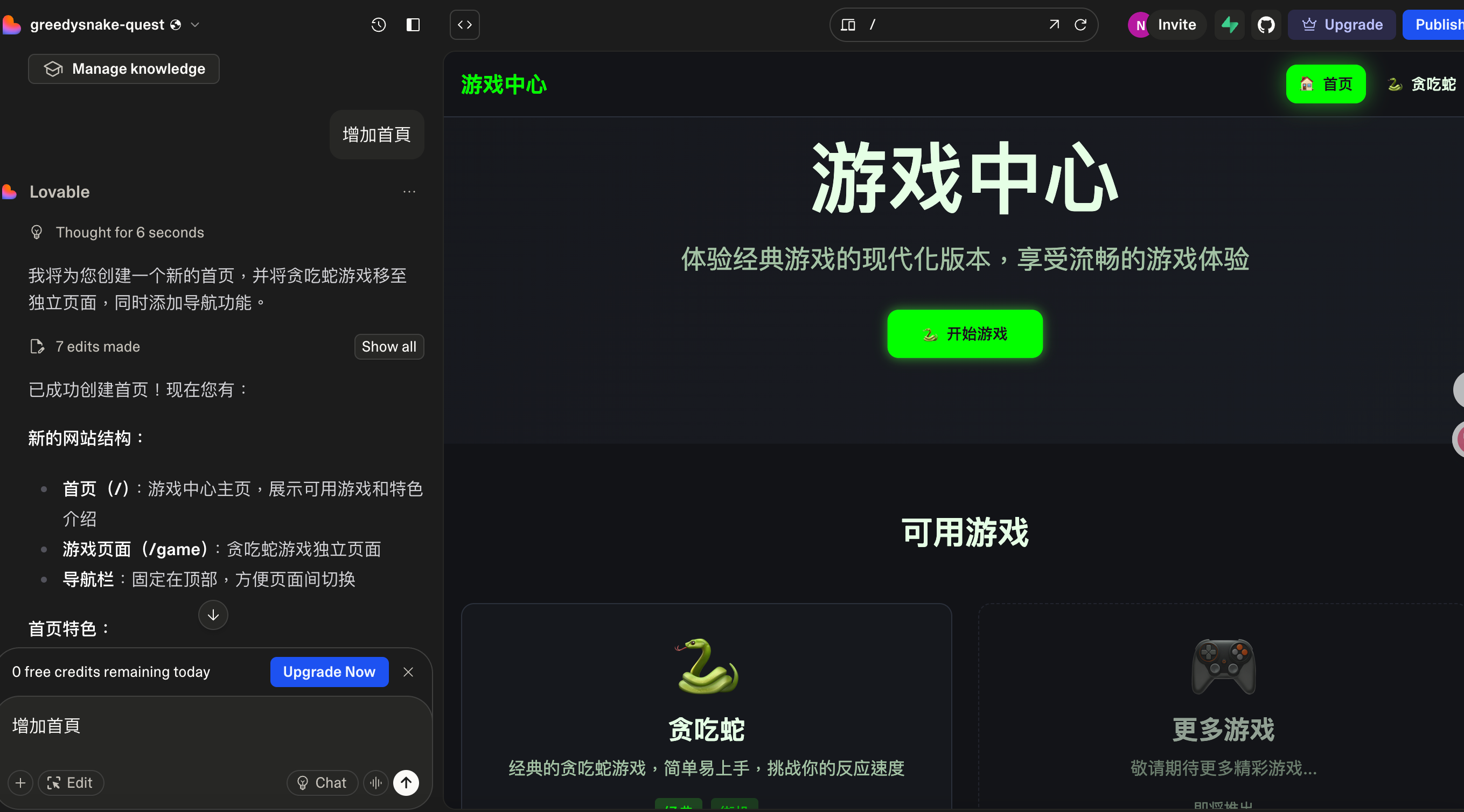
Some might say this demonstrates AI’s diversity, but in reality, it’s a probability game. The idea of producing a complete result from a simple command is similar to Zero-Shot or One-Shot result: the AI is matching the most likely outcome while performing extensive guessing and filling in blanks.
In fact, every release demo from major large models also showcases a large number of Zero-Shot examples.
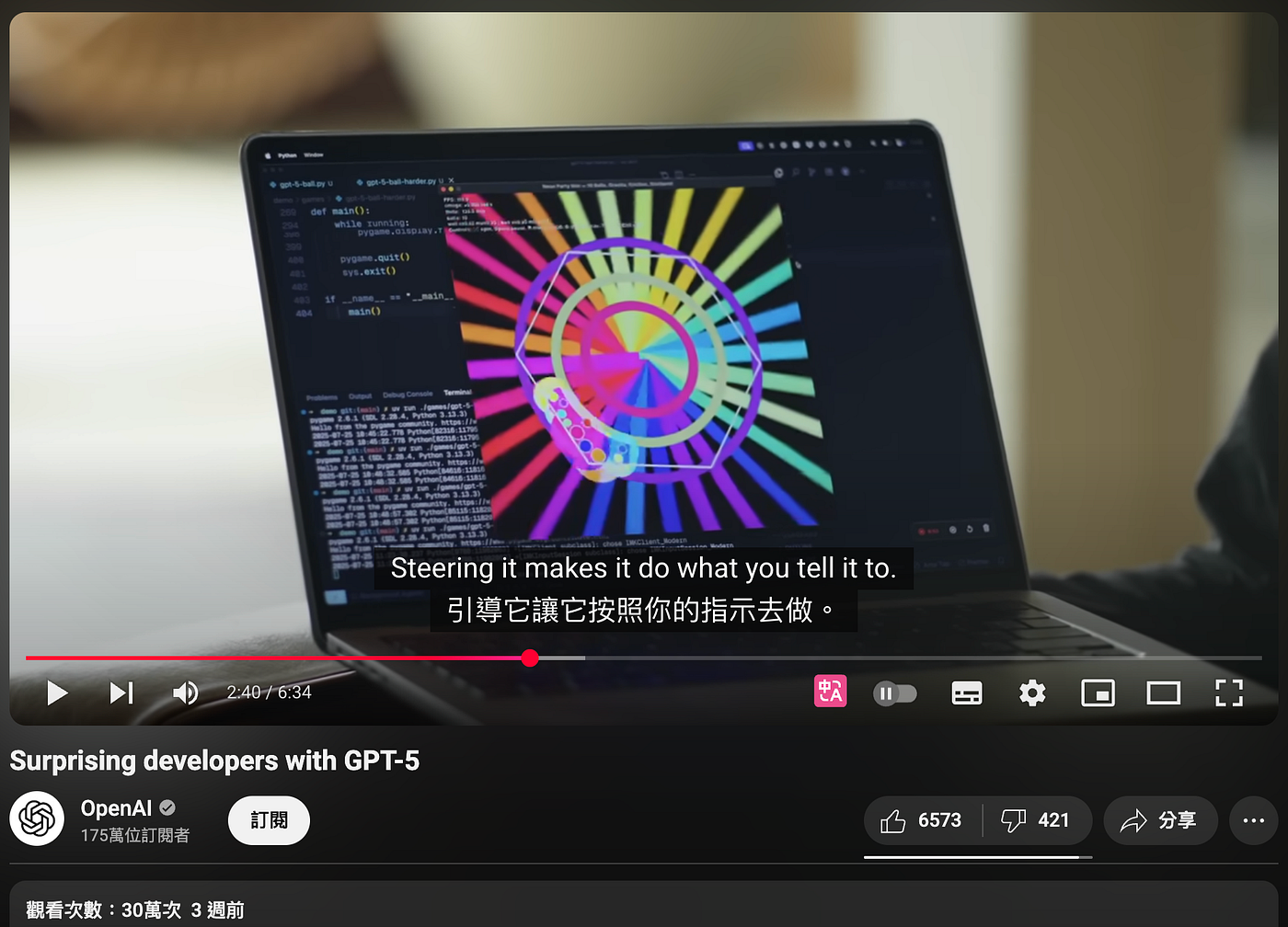
While this looks impressive, is this snake game really the style, gameplay, or “feel” you wanted? Not necessarily. The Zero-Shot(or One-Shot) result serves only as a quick draft — the real work lies in the iterative adjustments that follow to achieve the desired functionality, style, and interaction.
You could also consider “preparing very detailed specifications” to increase the accuracy of the Zero-Shot(or One-Shot) outcome. However, this shifts your actual working time to the specification-preparation phase, and somehow maybe it does not guarantee better results. In fact, sometimes a single well-crafted page of specifications can outperform a large set of overly detailed ones.
In reality, the process of AI coding still requires specifications work. These specifications may be prepared in advance, or gradually developed through a series of prompts during the process. Before building any product, clear goals and specifications are still necessary.
Therefore, the work of product managers and engineers has not disappeared, but AI does provide significant efficiency gains.
.md files: Include requirement specifications and code structure documents to guide development.The result is quite interesting. We found for Product managers, empowered by AI Coding tools, are more likely to gain basic programming capabilities. However, the more refined and complete the outcome you expect, the more you will inevitably need the deeper knowledge and expertise that engineers possess.
Ultimately, the goal is to provide tools or processes that improve efficiency and make work more effective. Product managers still have many responsibilities, but there are numerous model-based tools that can assist in their work.
In the area of AI coding, I believe that at a minimum, every product manager can build their own efficiency tools and quickly experiment with technology or create prototypes.
Prototyping is not limited to AI coding. In the era of image and imagination generation, there are many possibilities to support this goal. For example, tools like Google Stitch, Veo3, and Nano can help demonstrate scenarios or build MVPs. Other tools can help quickly generate MRDs, BRDs, PRDs, wireframes, mockups, or Figma designs — covering daily product management needs.
Spec-driven AI coding is also worth exploring. Examples include AWS Kiro, as well as services and frameworks from Claude Code and Git, which offer corresponding support for specification-driven development.